Bio pages
Building your bio page
Instagram gives you one link in your bio — a Zaptium bio page turns that single link into a full page of links, products, and content, built and published in the same place you manage everything else.
Before you start
You need one connected Instagram account. Each connected account gets its own bio page.
Build it in 5 steps
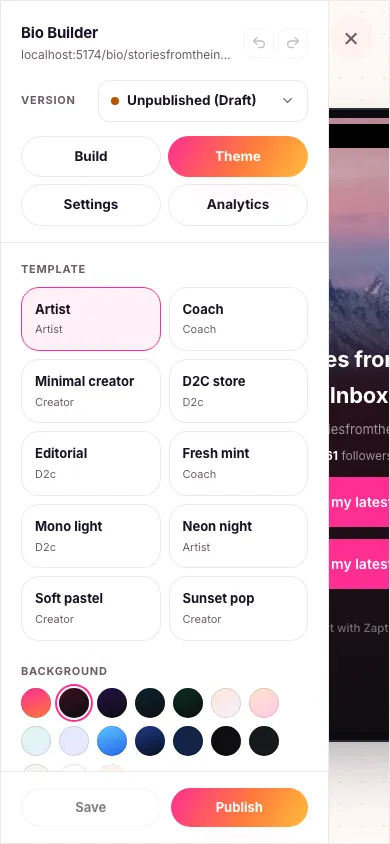
- Go to Bio Pages and create a new page, choosing which account it's for and a starting template — there are 10 to pick from.
- Add blocks. Look for the block library on the left — links, an image gallery, a product card, a booking button, an FAQ, a countdown, and more. Click any block to drop it onto your page, then click it again in the preview to edit its settings on the right.
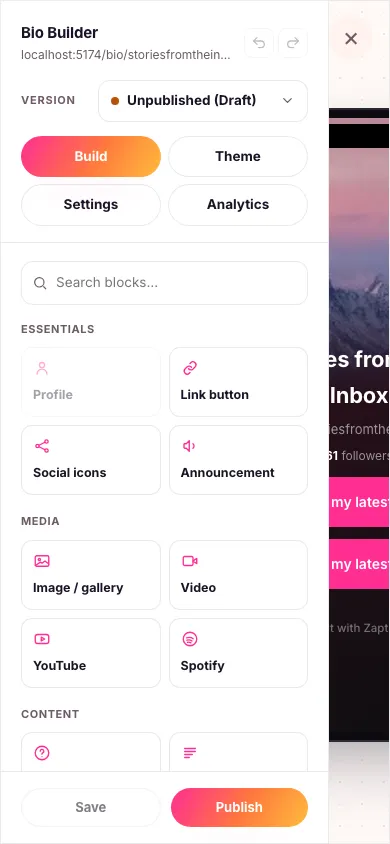
- Pick a theme. Switch to the Theme tab for a set of ready-made templates and background colors — your page updates live in the preview as you choose.
- Save your work. Saving only ever updates your private draft — your live page (if you have one) stays exactly as it was until you publish.
- Publish when you're ready. This makes your changes live at your public page address, which you can then set as your Instagram bio link.


Your display name, profile photo and theme colors are all fully yours to set — Zaptium only pulls your username, verified badge and follower count from Instagram automatically, and keeps them updated on their own.
What's next
Once your page is live, set it as your Instagram bio link, then keep an eye on views and clicks right from the same builder.