Run a giveaway with automatic entry tracking
Running a "comment to enter" giveaway by hand means scrolling through hundreds of comments and hoping you don't miss anyone — or double-count someone who commented twice. The "Giveaway" goal tracks every entry for you automatically.
Set it up in 5 steps
- Create a new automation and choose "Giveaway."
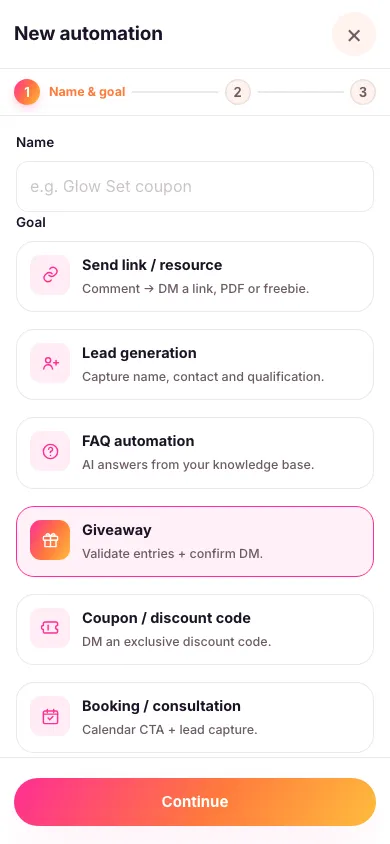
- Choose the exact post or reel your giveaway is running on. An automation only ever works on the content you attach to it, so a "WIN" comment on some other post of yours doesn't accidentally become an entry.
- Pick your entry keyword — for example WIN — and write the confirmation message people get once they're entered. You can also let people enter by DMing you a word instead — see below.
- Require a follow before entering, if you want to. Turn this on and Zaptium checks the follow with Instagram for real before confirming the entry — see requiring a follow before you reply.
- Turn it on. Every matching comment becomes a tracked entry, 24/7, until you turn the automation off.

Let people enter by DMing you a word
Give the automation a word in its DM routing keyword box — say ENTERED — and anyone who messages you that word is entered too, with no post or comment involved. It's a handy second door for a story: "DM me ENTERED to join."
Use a single word with no spaces. It has to be the whole message, but capitals and punctuation around it don't matter, so "ENTERED" and "entered! 🤞" both work while "ENTERED! fingers crossed 🤞" doesn't. Each word can only belong to one automation in your workspace, so give every automation its own.
Where the confirmation lands
Look for the Move conversation to DM switch. It decides where the confirmation you wrote is delivered, not which message gets sent.
- On: a short public teaser goes under their comment, and the confirmation is sent to them privately — which is what you want if you're also asking them to follow first, since that prompt only works in DM.
- Off: the confirmation is posted publicly on the comment, so everyone can see the entries rolling in.
Tappable buttons and product cards can only be sent privately, so those are only available with the switch on.
Zaptium automatically blocks a second entry from the same person, so a repeat comment never gets double-counted. Look for the automation's entrants list when you're ready to see everyone who entered — that's what you'll use to pick and contact a winner.
There's no built-in "pick a random winner" button yet — Zaptium gives you the full, deduplicated, verified entrant list, and picking the winner from that list is up to you.
Every goal in Zaptium — not just this one — can also answer general questions using AI, grounded in your own content. If someone asks something instead of just commenting or messaging the keyword, turn on "Reply with AI" in the automation's setup and point it at a knowledge source.
What's next
If you want to reward everyone who enters with a discount code instead of one grand prize, see sending discount codes automatically.
Run your next giveaway hands-free
No card needed. Connect your account and go live in minutes.
Start free