Build a waitlist for something that isn't live yet
Teasing a drop, a restock, or a launch that isn't ready yet? The "Waitlist / launch" goal registers everyone who's interested, so you have a real list to notify the moment it's live.
Set it up in 4 steps
- Create a new automation and choose "Waitlist / launch."
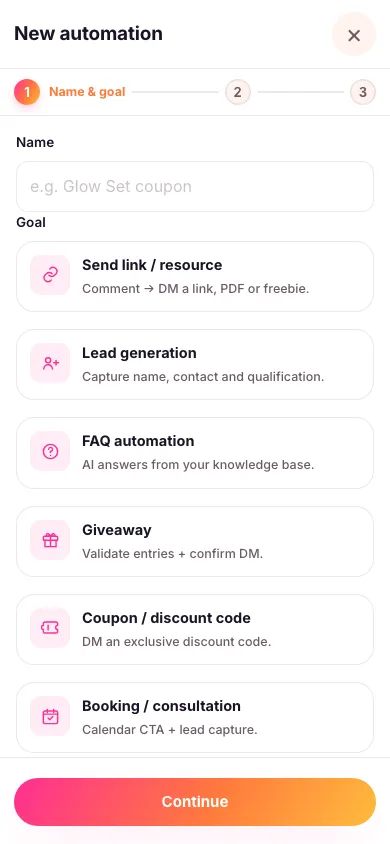
- Choose exactly which posts it replies to and pick your keyword — for example NOTIFY. An automation only ever works on the content you attach to it; it never watches your whole account. You can also let people register by DMing you a word instead — see below.
- Decide whether you need contact details. By default this automation just confirms someone's registered, right there under their comment — no DM needed at all. Turn on contact capture if you actually want to collect an email or phone number to notify them later.
- Turn it on. Every matching comment now registers automatically, one entry per person.

Because the simple version needs nothing beyond a public reply, it's the fastest goal to set up when all you need is a headcount of interest.
Let people register by DMing you a word
Give the automation a word in its DM routing keyword box — say LAUNCH — and anyone who messages you that word is registered too, with no post or comment involved. Perfect for a teaser story: "DM me LAUNCH and I'll tell you the second it drops."
Use a single word with no spaces. It has to be the whole message, but capitals and punctuation around it don't matter, so "LAUNCH" and "launch 🙌" both work while "launch me pls 🙌" doesn't. Each word can only belong to one automation in your workspace, so give every automation its own.
Where the confirmation lands
Look for the Move conversation to DM switch. It decides where the confirmation you wrote is delivered, not which message gets sent. Leave it off and the confirmation is posted publicly under their comment — which is exactly what makes the simple version so quick. Turn it on and only a short public teaser appears, with the confirmation sent privately instead. If you're collecting contact details, it has to be on: nobody's email address should end up in a public comment.
If you do turn on contact capture, the same permission conversation used for lead collection applies: an age check, a short notice saying what you'll use the details for and how long you'll keep them, and a button they have to tap to agree before anything is asked — if they'd rather not, they simply don't tap it and nothing is collected. When it's done, Zaptium sends them a link to their own private page where they can view what they shared, withdraw their consent, or ask for it to be deleted.
Every goal in Zaptium — not just this one — can also answer general questions using AI, grounded in your own content. If someone asks when it's launching or what it costs instead of just registering, turn on "Reply with AI" in the automation's setup and point it at a knowledge source.
What's next
Once your drop is ready, anyone who left contact details shows up in your leads list, ready to notify.